
Setup an email account in Android(Gmail app) tutorial
- Open Your Gmail App
- Tap on icon

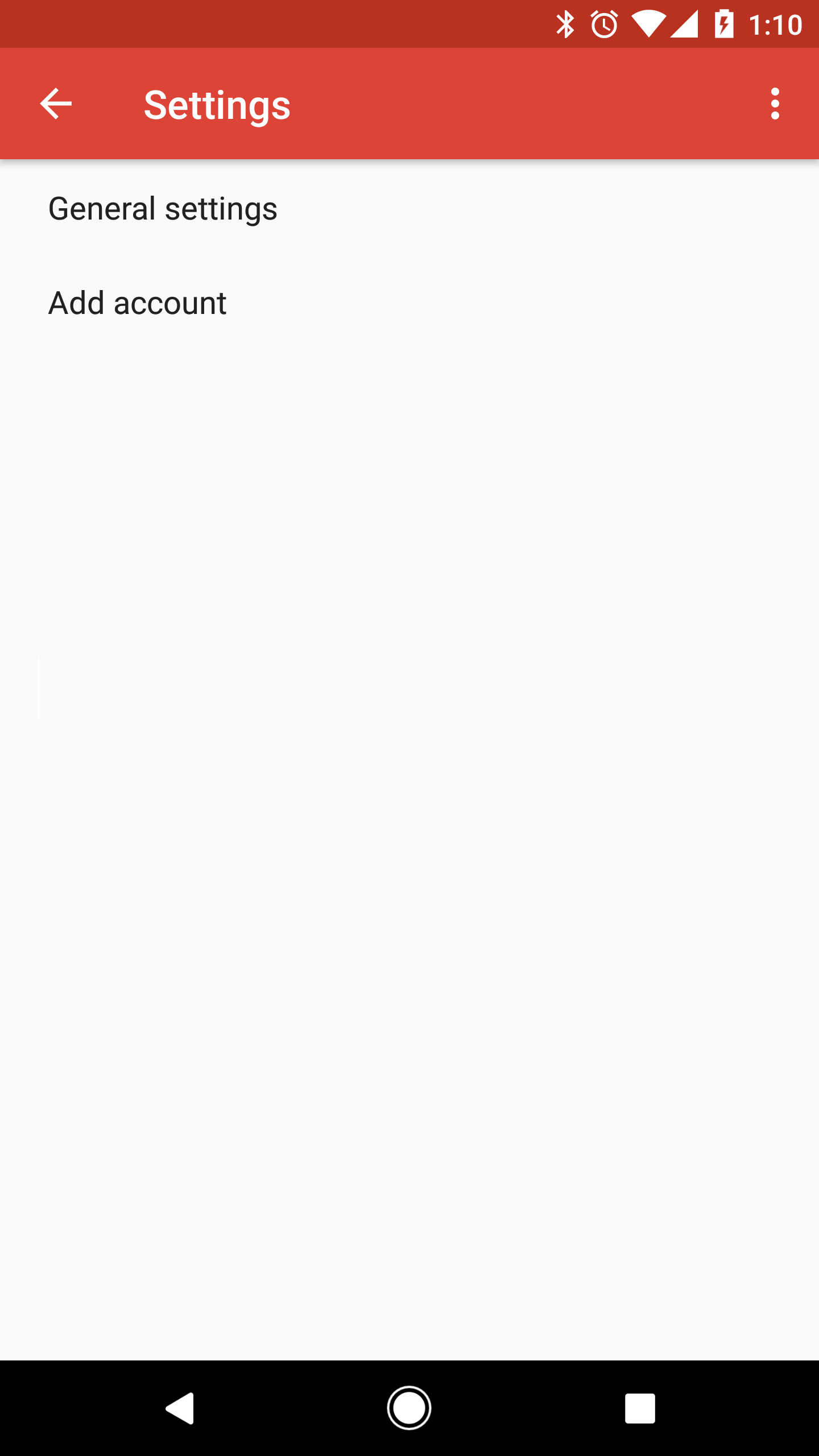
- Tap on Settings

- In settings click on Add account
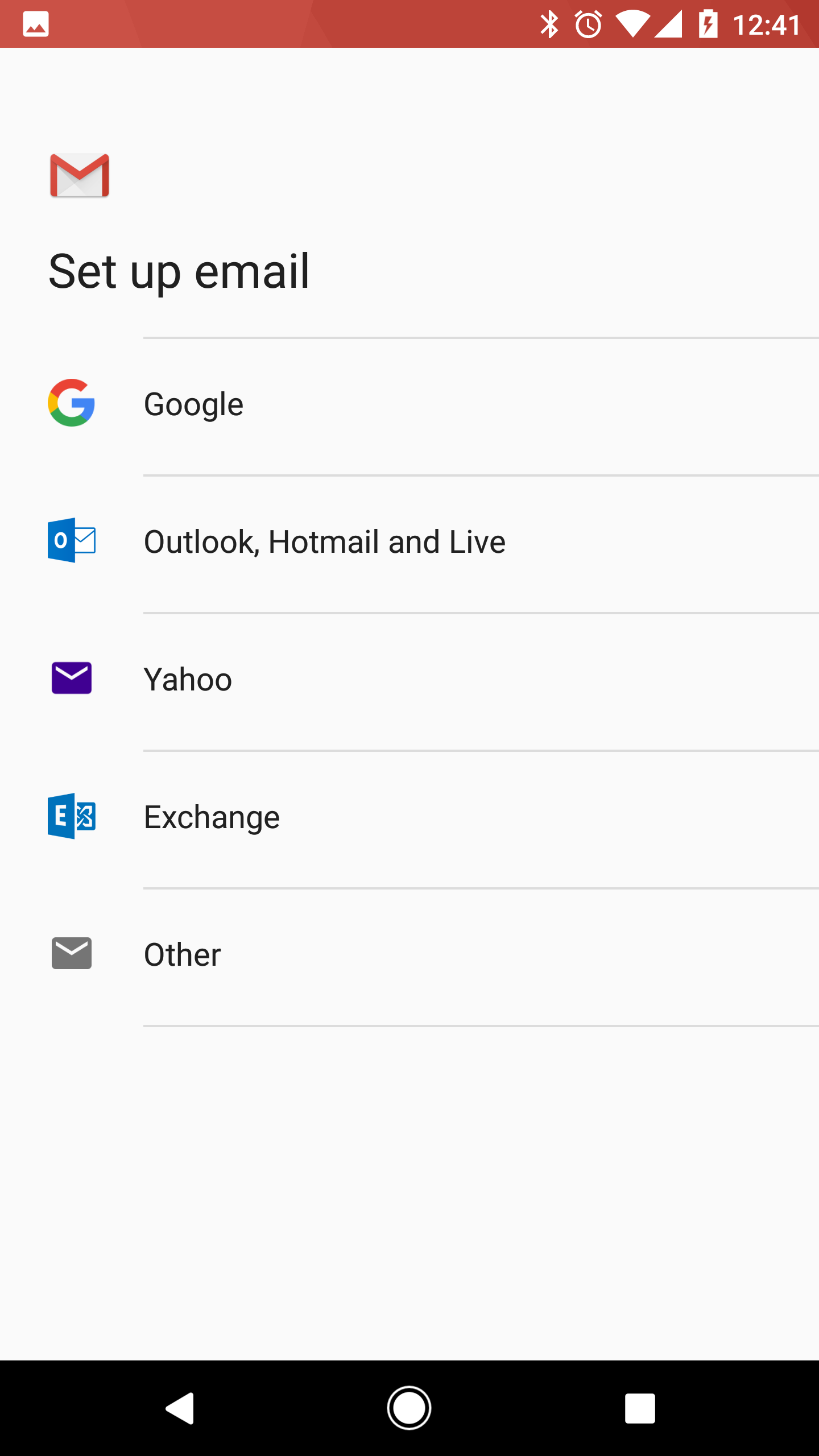
- Under Set up email select Other
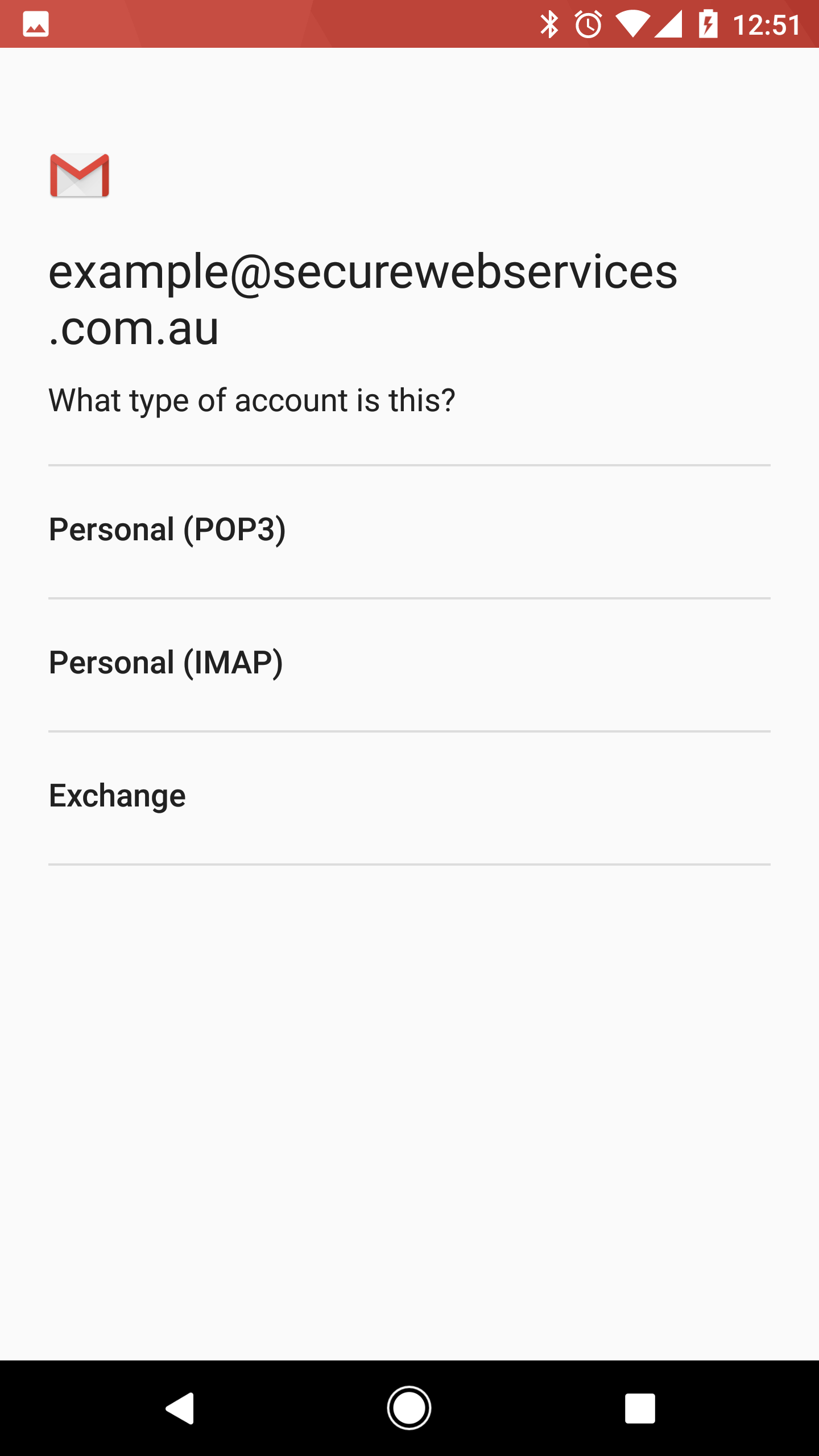
- Enter your email address and tap next

- Select either POP3 or IMAP (we recommend IMAP)
- Enter your password

- Enter your incoming mail server settings
Double check your username and password and enter server name
Username: Your email address
Password: Password associated with the above email account
Server: mail.yourdomainname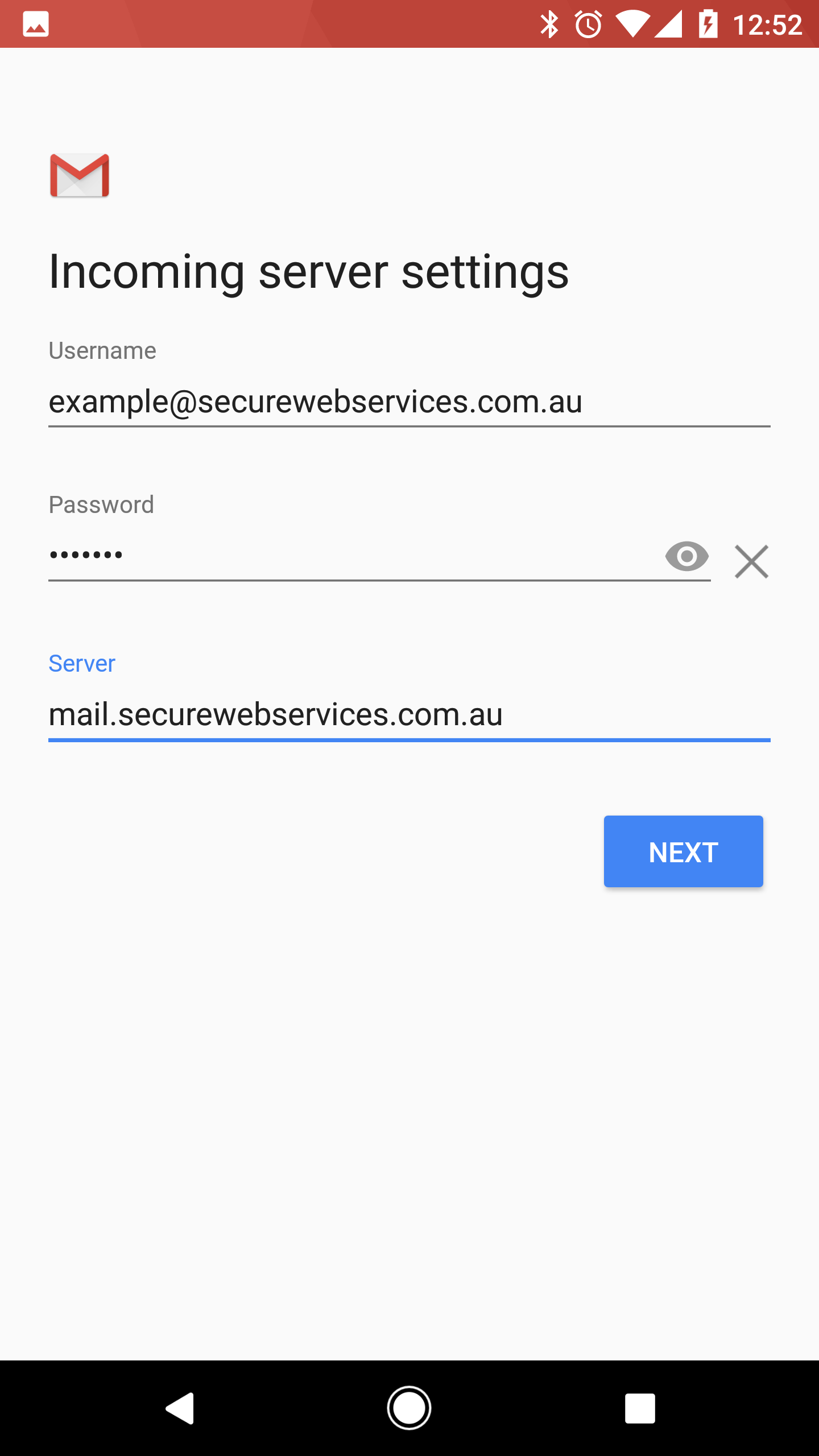
- Enter your outgoing mail server settings
Double check your username and password and enter server name
Username: Your email address
Password: Password associated with the above email account
Server: mail.yourdomainname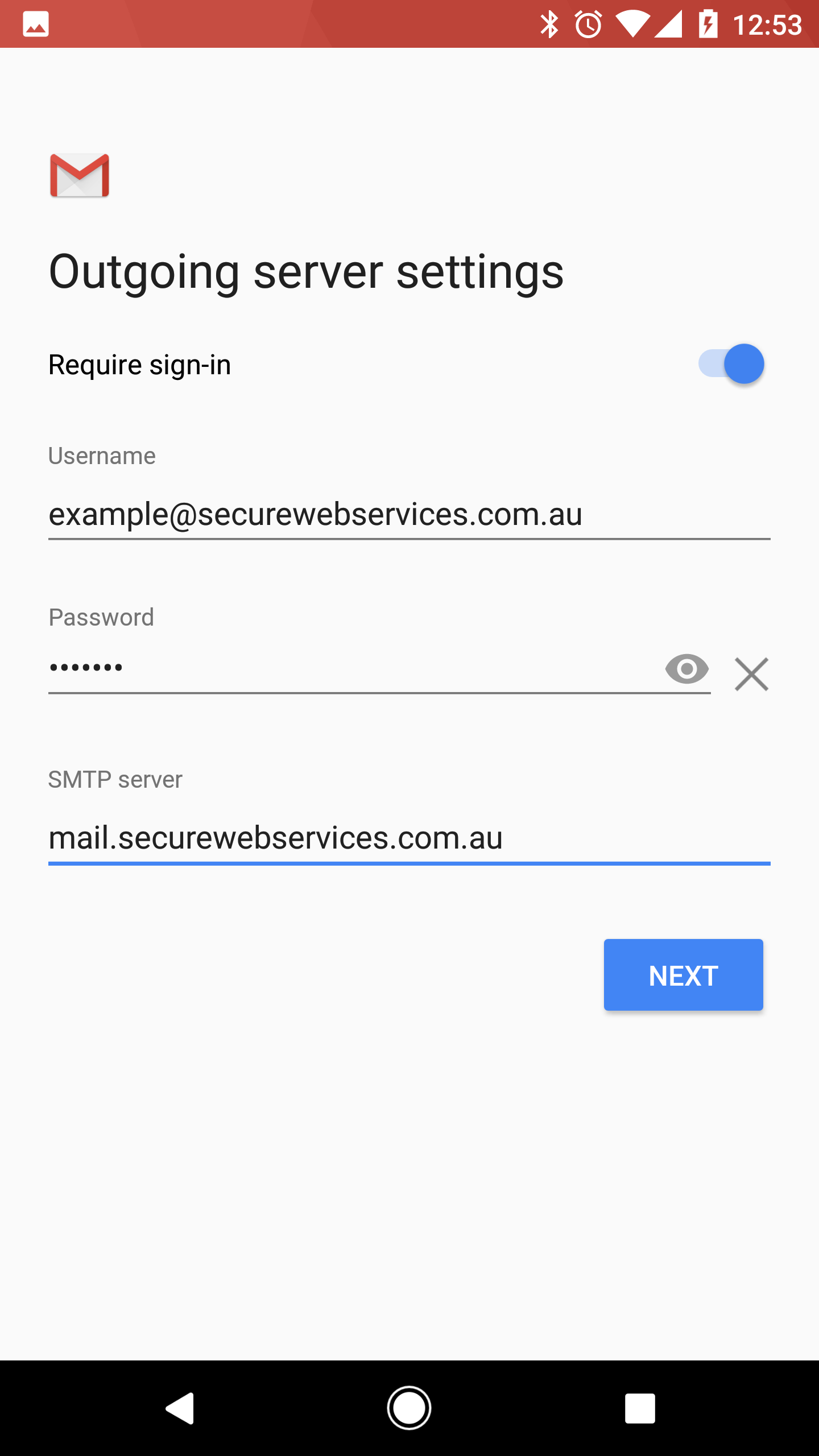
- Define your sync settings
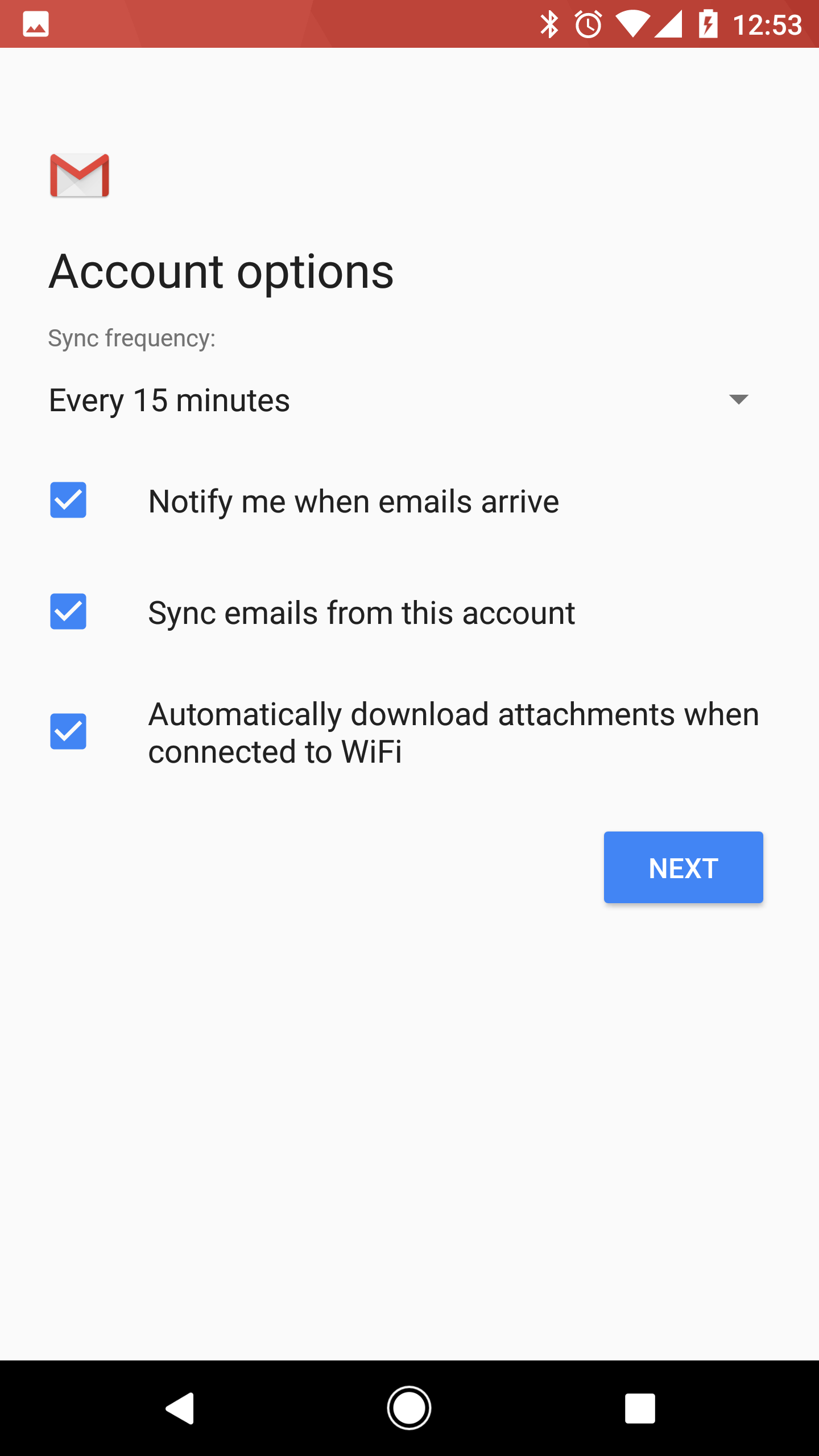
- Define your display settings

- Click next and your done!

